Your first table
4 things, none of them C++, and you have a sorting table of your own data.
You can build a table out of a ScrollBox. It realises every row, and the columns only
line up if you make each one a fixed-width SizeBox. UListView virtualises
instead, but every row measures itself, so the columns drift apart as soon as one cell holds a longer
string. Neither of them has a header.
Smart Tables declares the columns once. Every row is laid out against that one list, so no row can disagree with the header. Four things get you there.
A Blueprint to hold one row
New Blueprint Class, parent Object. Not an Actor and not a Widget: a row is data.
Add one variable per column. The variable name becomes that column's Column Id, which is the id the table binds through. The label at the top is a separate field.
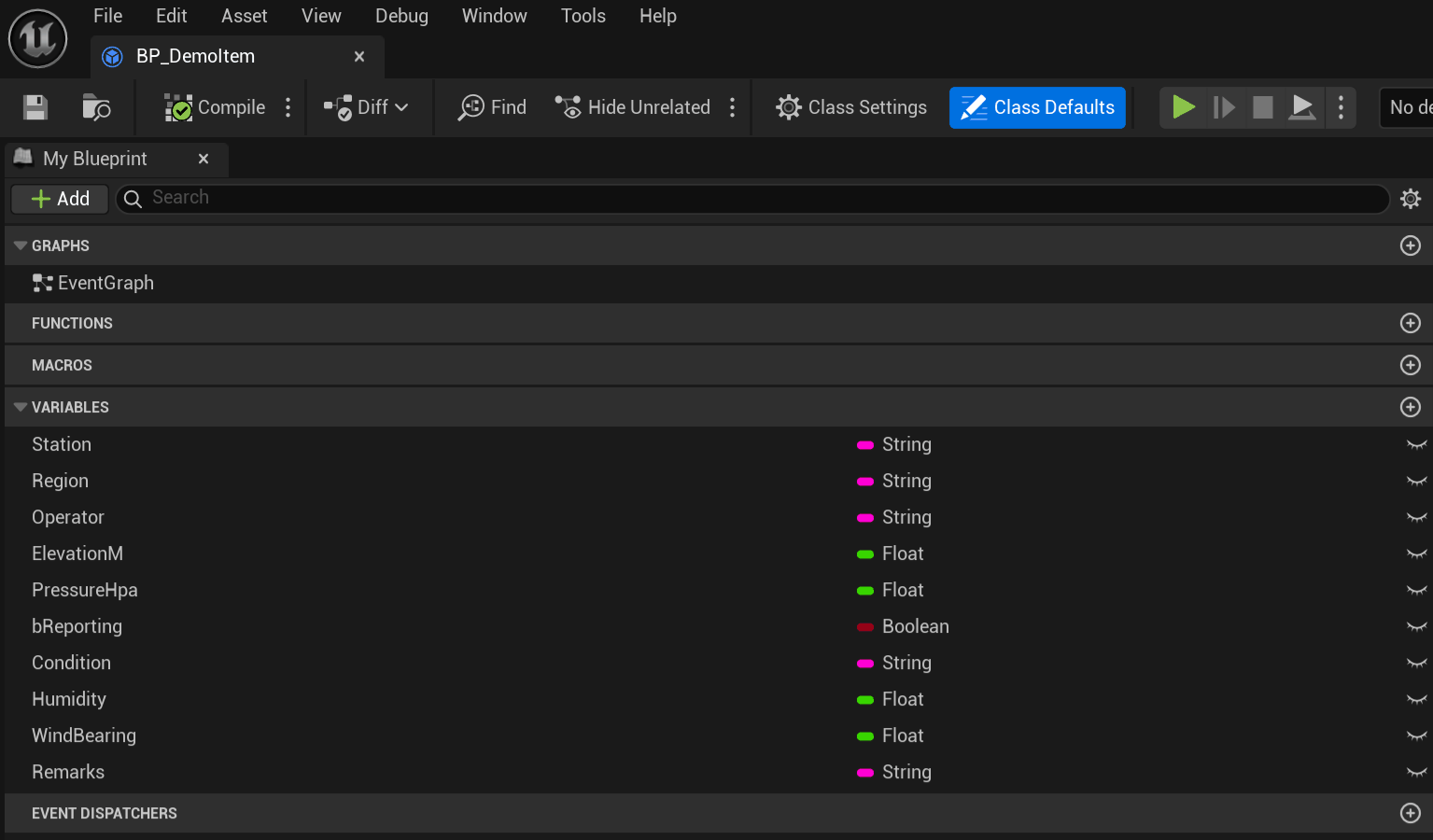
Columns bind by name, so there is no mapping table for you to keep in step with the class.
Point the table at that class
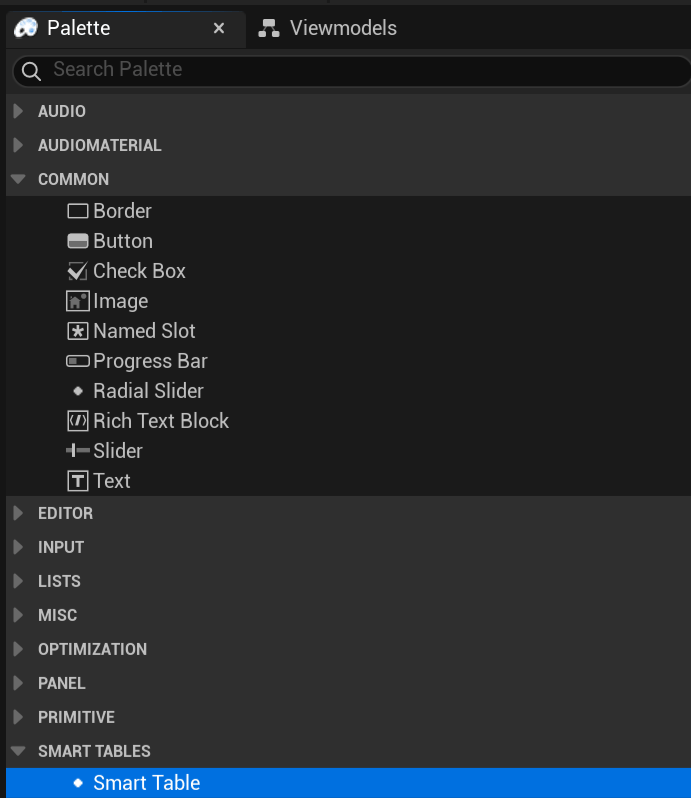
Drop Smart Table into any Widget Blueprint.
Set Column Source to Item Class, then set Expected Item Class to the Blueprint you just made. Press Copy Columns From Source and it writes one column per variable.

The button only ever adds. Press it again after adding a variable and you get that one column, with the rest of your work left alone.
Most of the ways this goes wrong get caught when you compile the widget, so compile it and read the log. Two of the errors come from here. One is a duplicate Column Id. The other is a Binding Name that no property or pure function on the class answers to, and that error lists the names the class does offer.
Give it rows
Make some of those objects, drop them in an array, and call Set Items.

Set Items builds a model inside the table and holds the objects. You only write a model yourself when the rows live somewhere else, like a file, a server, or a set too big to hold in memory.
What's already set
Sorting is on. Cells draw text. Resize, reorder and hide all live on the header, and a right click there brings back anything you hid. Rows virtualise, so only the rows on screen get widgets, whether there are ten or a million.
Sorting reads a run of digits inside a name as a number, so Asteroid 2 comes before
Asteroid 10. A column bound to a number sorts as a number and not as its text.
None of it is fixed. Turn Show Header off and you have a headless grid. Give the table a Table Id and a Layout Store, and whatever the player rearranged is still there next session. Point Style Asset at one asset and the whole thing reskins. Set Cell Class on a column and you get a widget you built instead of text.
Those gestures have nodes as well, so a screen with no mouse can still sort, resize and show columns. The full list is on Every feature, with the switches that turn a node off too.
Naming a column twice
Column Id is what everything keys off. The binding, the saved layout, and every node that takes a column all go through it. Rename the variable behind it and the column binds to nothing, so fix the Column Id in the same pass, or drop the column.
Header is only the label drawn above the column. Change it whenever you like, because the binding and the stored layout both go through Column Id instead.
Next: Rows