A model in Blueprint
3 functions, still no C++, for when your rows aren't objects and aren't a DataTable.
You want one of these when your data does not fit either of the first two routes. A file on disk. A server response. A million rows you are not going to hold in memory, or your own format that you would rather not copy everything out of.
Making one
New Blueprint Class, parent Smart Table Model. Override 3 functions.
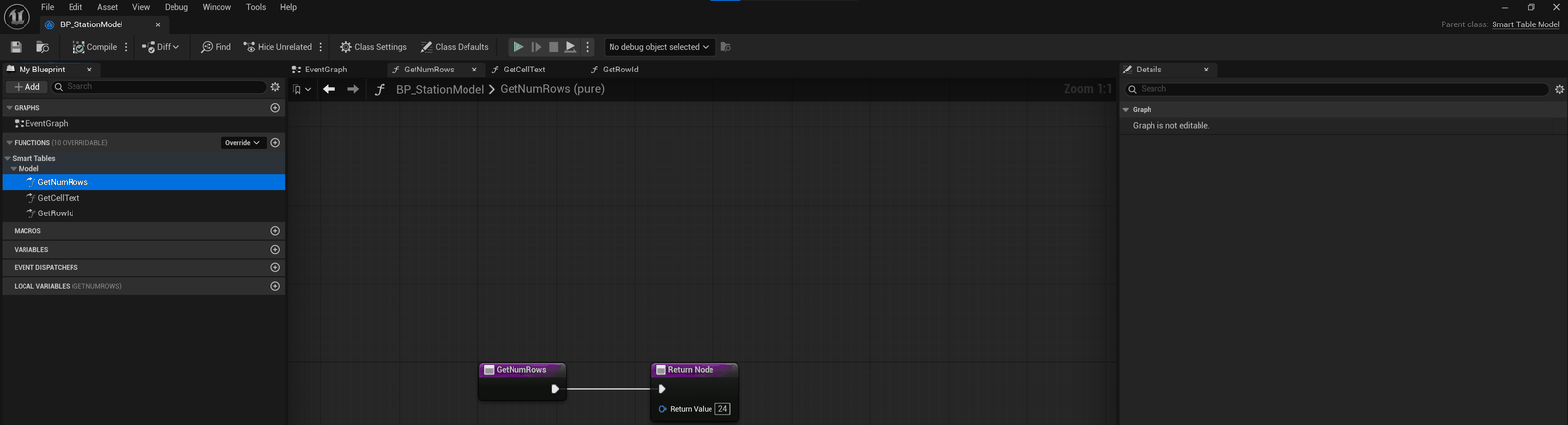
Get Num Rows returns how many there are. Get Cell Text takes a row number and a column id, and returns what to draw. Get Row Id returns a name that stays with that row.
Then call Set Model and you have a working table.
Why Get Row Id matters
This is what lets a selection survive rows arriving and leaving. It falls back to the row number, and that is only right while rows get added at the end and never dropped from the middle.
Give it something that stays put and the selection follows the row instead of the position.
What the three give you
Sorting and filtering, both of them built on Get Cell Text. A model that answers nothing but the three already sorts and filters correctly.
The next one worth overriding is Get Cell Sort Key, for numeric columns. Ordered as text, 1.25 lands after 1.5. Return a number key and it lands before it instead.
Telling the table
Nothing gets polled, so you are the one who says when. Notify Row Changed for one row's values. Notify Rows Changed when a lot of them moved and the count held still.
When rows arrive, call Notify Rows Added with their row numbers. When rows go, call Notify Rows Removed with the ids they had, so read each one with Get Row Id before you drop it. Those two are what give a new row its entrance and keep a log at its end. Notify Num Rows Changed works too, but it only says the count moved, so nothing plays and the view is left where it is.
Taking edits
Override Get Cell Editor to say which columns take input. Override Set Cell Text to take the value back. Return false from Set Cell Text and the edit gets refused.
Next: The two row spaces