Columns
Declared once, in the Details panel, and every row lays out against them.
This is the part that makes it a table. There is one list of columns and every row goes by it, so a long value in one cell widens nothing and moves nothing.
Leaving Binding Name alone
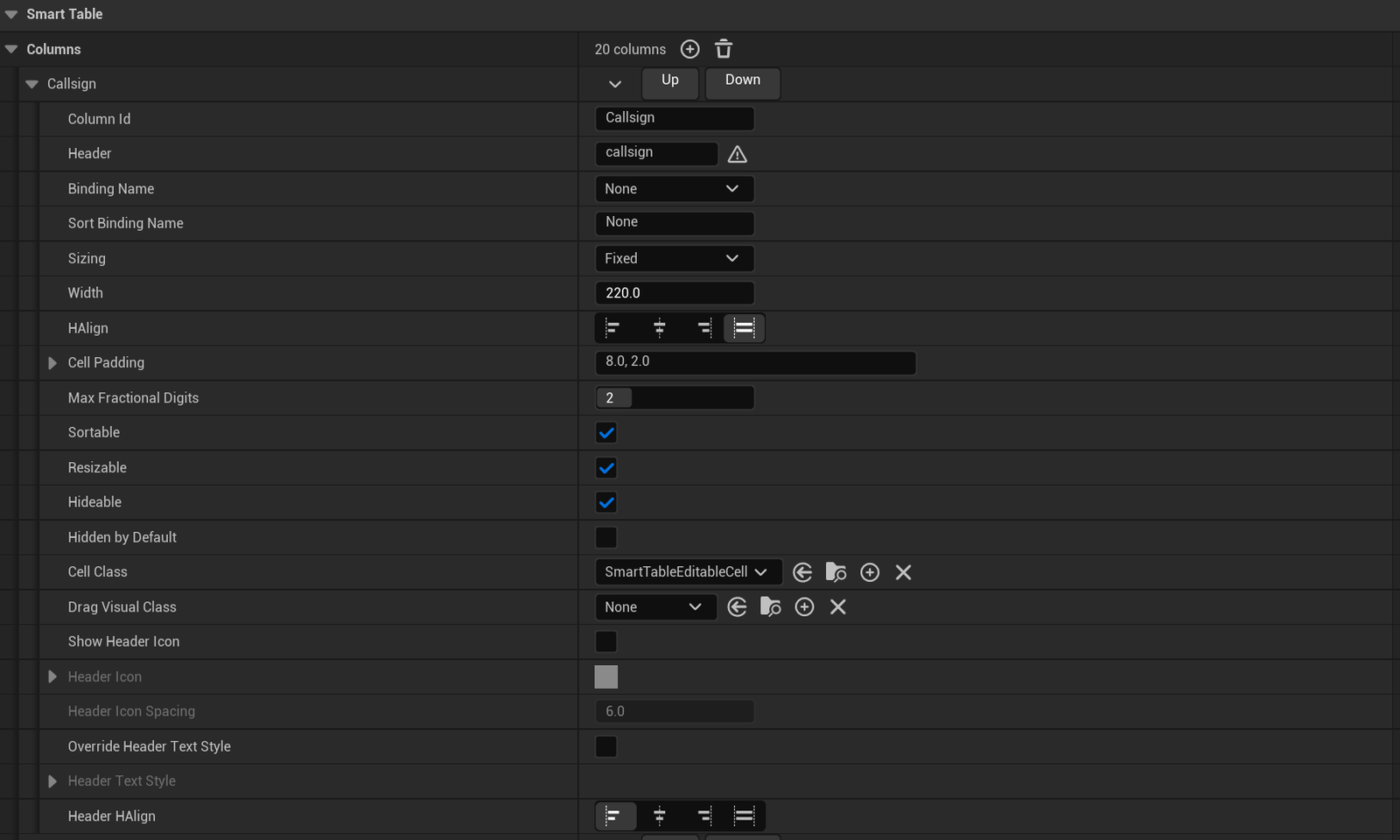
A column looks for a variable named the same as its Column Id. A column called
PressureHpa reads the PressureHpa variable, and you write nothing.
Fill Binding Name in when the column and the variable have different names, or when you want to read a pure function instead of a variable.
A pure function with no inputs binds exactly like a variable, so a column can show something you
work out on the fly. Distance is not a property on anything, but Get Distance is a plain
node. It sits on the item where it belongs, and its return type is what gives the column a typed sort
key.
With Expected Item Class set, Binding Name is a dropdown of everything that class can bind.
Fill or Fixed
With Fill, Width is a share of whatever space is left over. Two Fill columns at 1.0 and 2.0 take a third and two thirds. With Fixed, Width is a count of pixels.
A drag beats either of them. A stored layout beats them too. The number you type in the panel is where the column starts, not where it stays.
The tick boxes
Sortable, Resizable and Hideable switch off the built-in gesture for that column. Sortable and Resizable also stop Cycle Column Sort and Begin Column Resize on that column. Sort By Column, Set Column Width and Set Column Visible still work, so your own graph keeps full control.
The table-wide switches, such as Allow Column Resize, take only the gesture away. The exception is the header menu: with Enabled off, Open Header Menu and Open Table Menu open nothing either.
Hidden By Default starts the column hidden and leaves it in the Show Columns menu.
The header menu
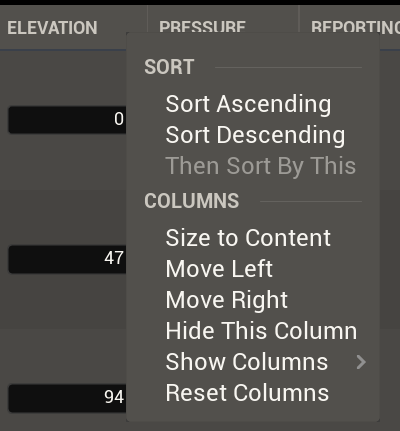
Right click a header and you get sort, size to content, move, show and hide, and reset layout. You can switch each entry off in Header Menu Options.
Adding to this one takes C++. An FMenuBuilder has no Blueprint form to hand a graph. The
row menu is the one you build from a graph, over on Events.
A menu is its own window, so hiding the table does not hide the menu. One that is open closes itself two frames after the table goes. Close Menu closes one from a graph.