Items
A UObject Blueprint with variables on it, and no model of your own.
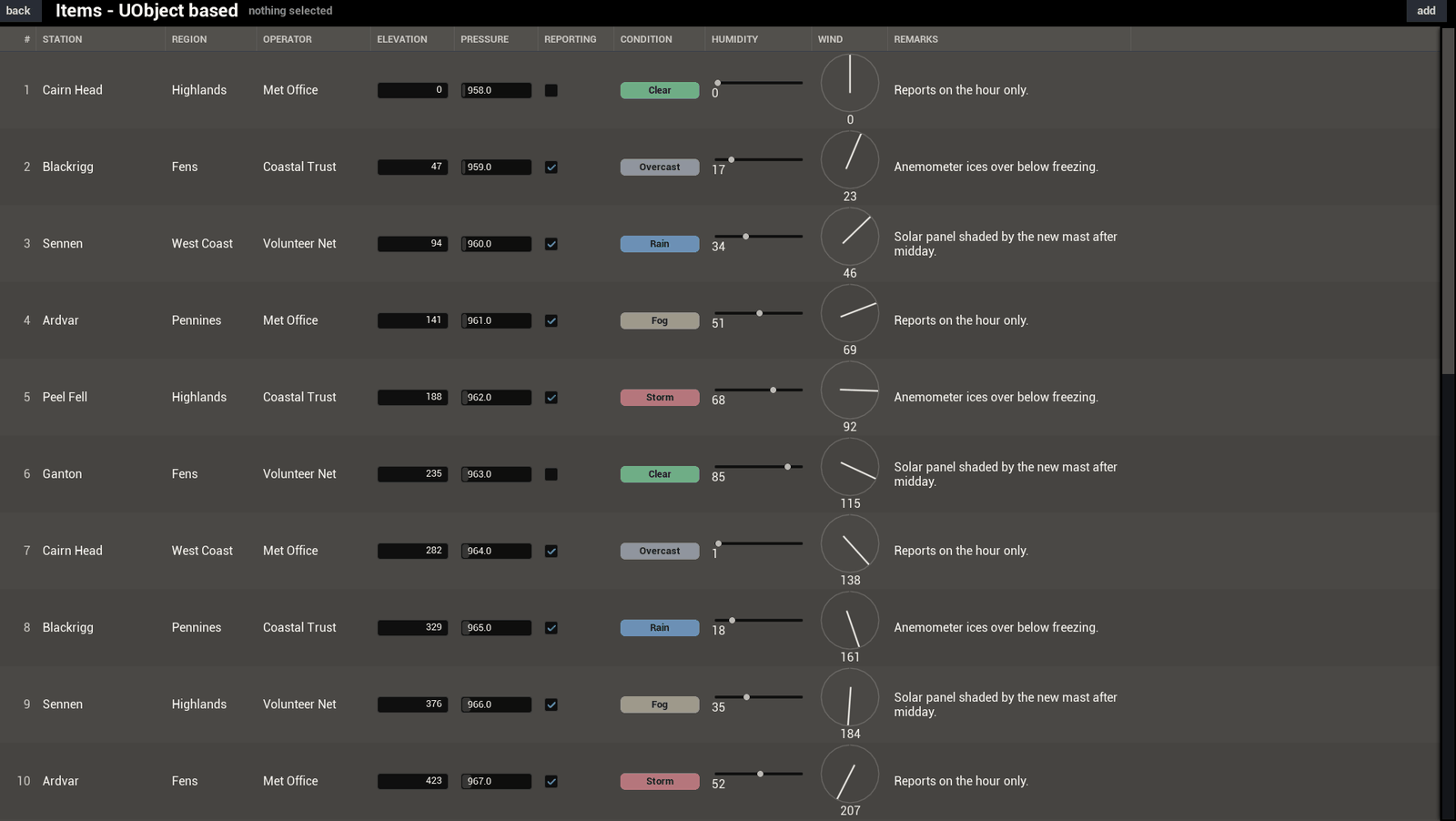
The table from Your first table, running. 24 weather stations and 10 columns, with the rows in a Blueprint and the table set up in the Details panel.
How it's wired
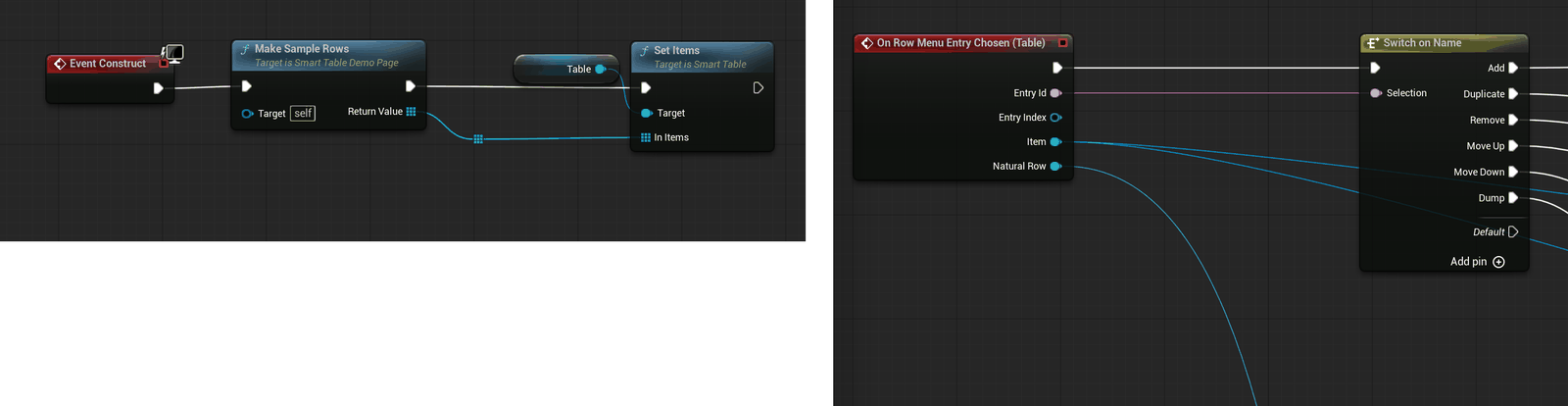
The rows are BP_DemoItem, a UObject Blueprint with 10 variables on it and no graph at
all. The columns are authored in the widget: Column Source on Item Class, then one press of Copy Columns
From Source.
The table is filled from the widget's own event graph, and Event Construct is two nodes: Make Sample Rows into Set Items.
Make Sample Rows is a function of the demo's page class, and it is where the made-up data comes
from. 24 BP_DemoItem objects with 10 variables each. Swap it for a save game, a server reply,
or a view model. The table reads whatever objects you hand it.
The rest of the graph answers the row menu, and that part is worth copying. It is one Switch on Name on the entry id with 6 cases: add, duplicate, remove, move up, move down, dump. Each case is one or two nodes on the table.
The cells
2 columns draw plain text, station and region. The same built-in editable cell covers 2 more. Elevation is a float so it draws a number box, and reporting is a bool so it draws a tick box.
The other 6 use demo cells. Operator, pressure and condition are Widget Blueprints. Humidity, wind and remarks are C++ cells, and the wind one draws a compass dial from maths, so it ships no texture with it.
Reordering
Rows drag into a new order, and the same move is on the row menu and on two keys. Nothing listens for the drop. The table's own model holds the rows and reorders them, so there is no second copy to keep in step.
Next: DataTable