Rows
Three ways to fill a table. Two of them need no model of your own, only a call.
From a Blueprint class
This is what Your first table does. You make some objects, drop them in an array, and call Set Items.
The table holds on to those objects. The array is just how you hand them over, so you can throw it away straight after.
There are three more nodes that go with it. Add Item puts one on the end, and it can scroll down to it as well. Remove Item takes one out. Clear Items empties the lot and leaves your columns where they are.

One catch: Set Items only takes objects. A plain struct will not go in, and that is what the DataTable route is for.
Feed it a list that keeps changing
A log, a chat, anything your game keeps adding to. Call Set Items with the whole list every time it changes. That is also what an MVVM binding does: it hands over the whole array each time the field moves.
Set Items looks at which objects it already had, and those keep their rows. The new ones arrive the way an Add Item row does. They play the entrance, and a view at the bottom stays at the bottom. The objects missing from the new list leave, and a reader scrolled up keeps the rows they were reading, even while the oldest ones drop off the top.
Whatever the player is in the middle of stays on its row too. A cell drag keeps its marks on the rows it started with. A row menu acts on the row it was opened on, and a drop reports rows where they are when the button comes up. An edit being typed into ends instead, and writes nothing, because its box is showing a different row by then.
So keep the objects between calls. A list that builds new objects every time shares nothing with the one before, and a set that shares nothing counts as brand new. Nothing in it plays, and the view stays where it was.
From a DataTable
Set Column Source to Data Table, pick your asset, press Copy Columns From Source, then call Set Data Table.
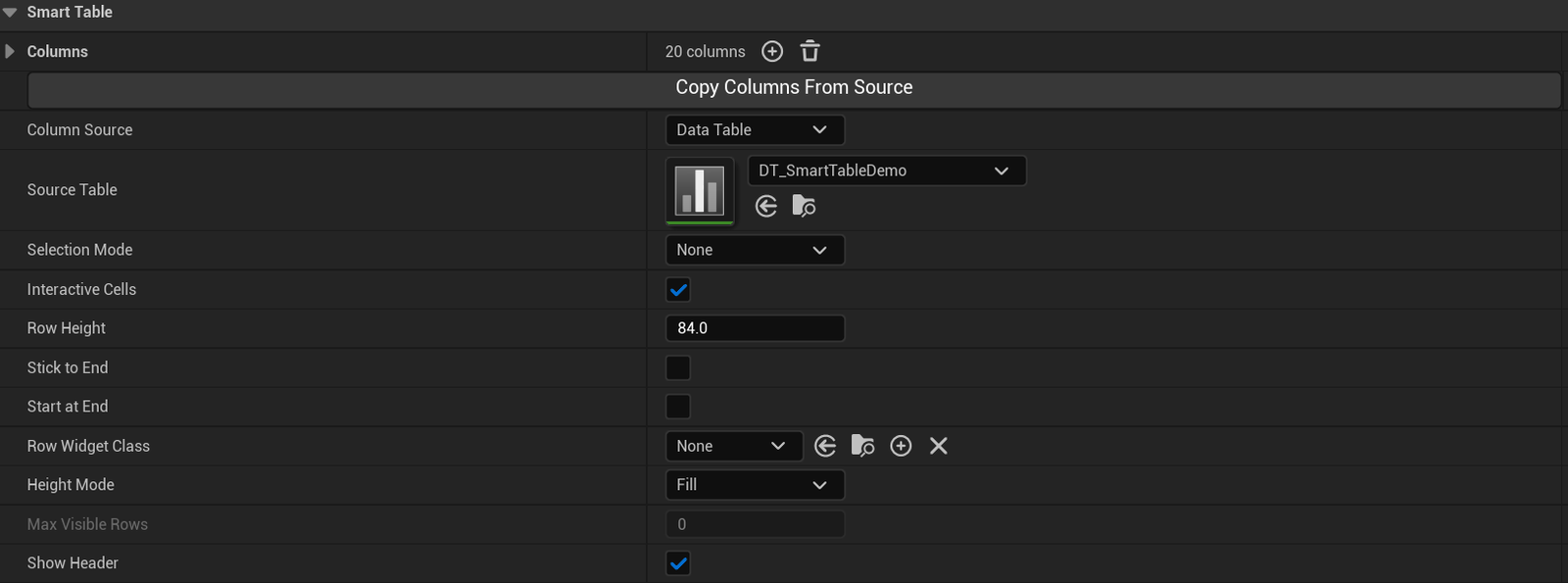
A row struct says what type each field is. Set Cell Class on a column to Smart Table Editable Cell and the type picks the editor. Numbers get a number box. Bools get a tick box. Text gets a text box. An enum draws as plain text, because a box to type into is the wrong editor for it. Turn Interactive Cells on and the rows take input.
So which one? Objects are less work when you build the rows at runtime. A DataTable is less work when the rows are data somebody authors. You get the typed editors either way.
From anything else
A save file, a server, a million rows you are never going to hold in memory. For those you write a model. It is still a Blueprint and it is still only three functions, and it has its own page: A model in Blueprint.
Calling one after another
You can switch whenever you like. Call Set Items after Set Model and you are back on the built-in model, and it works the other way round too. Underneath it is the same write either way, so there is no mode sitting there for you to keep track of.
Next: Columns