Layout and skin
What the player rearranged comes back, and the whole thing reskins from one asset.
Remembering the layout
Give the table a Table Id and a layout store. Column widths, order, hidden columns and the sort come back next time.
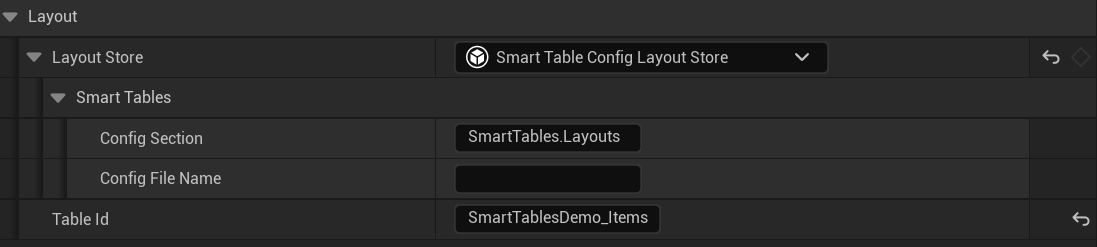
With no Table Id nothing gets saved, and the table says so once in the log. The id is the key the layout is filed under.
Layout Store has 3 settings and the picker offers all three. It builds the store on the table rather than taking an asset.
- None, the default. Nothing is written anywhere.
- Smart Table Config Layout Store, which ships in the box. It writes to the game settings ini, the same file the engine keeps resolution and quality in, so a layout follows a player into a new game and never grows a save file.
- A Blueprint or C++ class of your own, deriving from Smart Table Layout Store. 2 functions, Load Layout and Save Layout, and the layout goes wherever you want it: a save game, a server, a file.
From a graph you also get Get Layout, Apply Layout and Reset Layout.
Skinning it
There are two ways to dress a table and it is the same set of values either way. The background, the rows, the header, the scrollbar, the menu, and the markings a drag draws.
You can type them into the table's own Details panel. Or you can put them in a Smart Table Style asset and point the table at that.
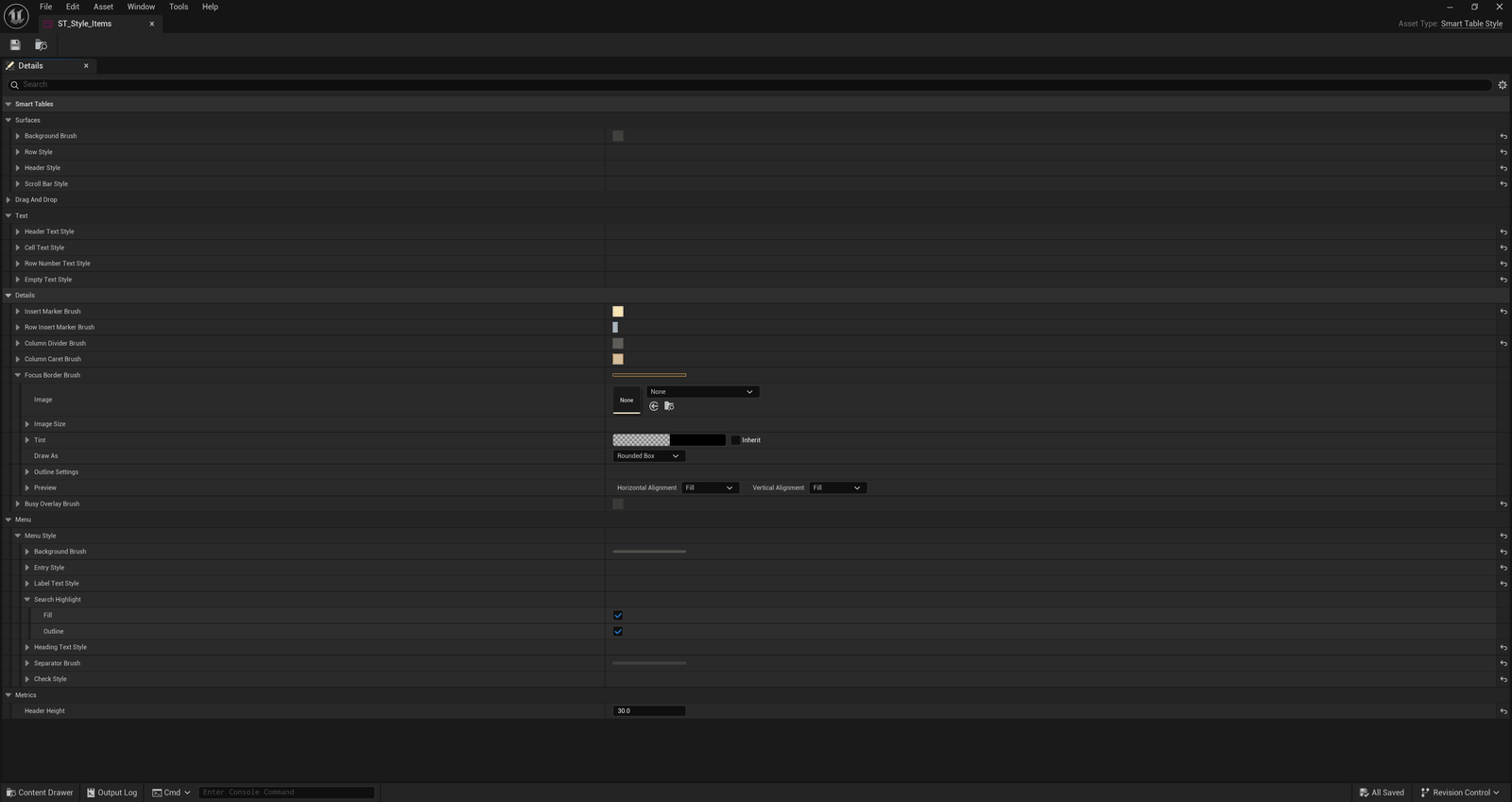
Make one, set it on Style Asset, and every table pointed at it looks the same. A table copies the asset's values when it's built. Change a colour in the asset and a table shows it the next time it's built, such as in your next PIE session.
Picking between the asset and the panel
You get one or the other, never a mix. Leave Style Asset empty and the table uses what you typed into its panel. Set an asset and it replaces every one of those values, and the fields grey out.
What you typed is not gone. Clear the asset and it comes back, which is why those fields grey out rather than disappearing.
Six style fields sit under other headings, under Row Numbers, Empty State, Drag and Drop and Busy. An asset replaces those as well.
It only ever runs in that direction, so the asset stays the one place the look is written down.
For a header with no sort arrows, set Draw As to None on the two sort brushes. The header drops the arrows and the space they took.
No art ships
The plugin adds no images to your project. The table's own surfaces are Slate brushes in the style's colours. The sort arrows, the menu tick and the editable cell's boxes come from the engine's style.
Next: When it draws nothing